Every note, the moment you play it
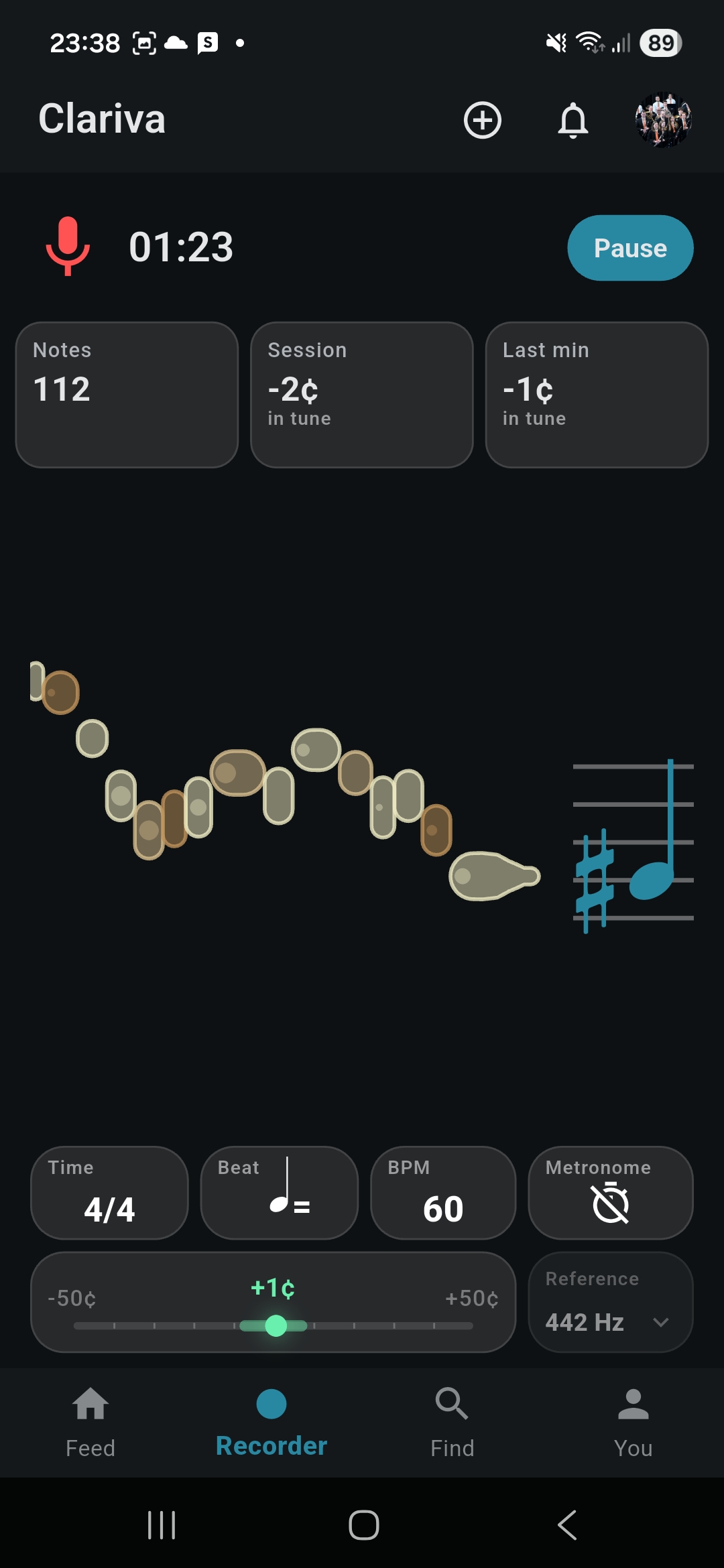
Clariva measures each note in real time, on your phone, and draws it as you play. What you see live is exactly what is saved.
Built for clarinet · In beta on iOS and Android
Built for clarinet · iOS and Android
Built for clarinet · Android now, iPhone soon
Practising alone, you can't hear yourself objectively. Play any music you already have: Clariva shows every note the moment you play it, with its pitch, timing and intonation, and how your playing changes over weeks.


Clariva is in closed testing on both stores while the public release is prepared. Testers are welcome — see below.
iPhone and iPad: in Apple's review. Until then, the iOS beta below works.
Free to download and use. Built for the B♭ clarinet.
What Clariva helps you see
Built by a clarinettist, for clarinettists. No song library, no paid sheet music, no extra hardware: your phone's microphone is enough.
Clariva measures each note in real time, on your phone, and draws it as you play. What you see live is exactly what is saved.
Études, orchestra parts, exam pieces, your own warm-up: play whatever is on your stand. Clariva listens to what you play instead of following a score it has to sell you.
See which notes sit sharp or flat, and how quickly your intonation settles while you warm up.
Record a tricky passage slowly, set its target tempo, and compare every attempt with the reference, note by note.
Send a passage to a student, a friend or your section as a challenge. Follow other musicians, share sessions and applaud progress.
Time played, notes played, practice days, streaks and tuning tendencies, week by week.
Inside the app
Real screens from the app, after the recorder above: attempts, passages, intonation, target tempo, progress and the feed.
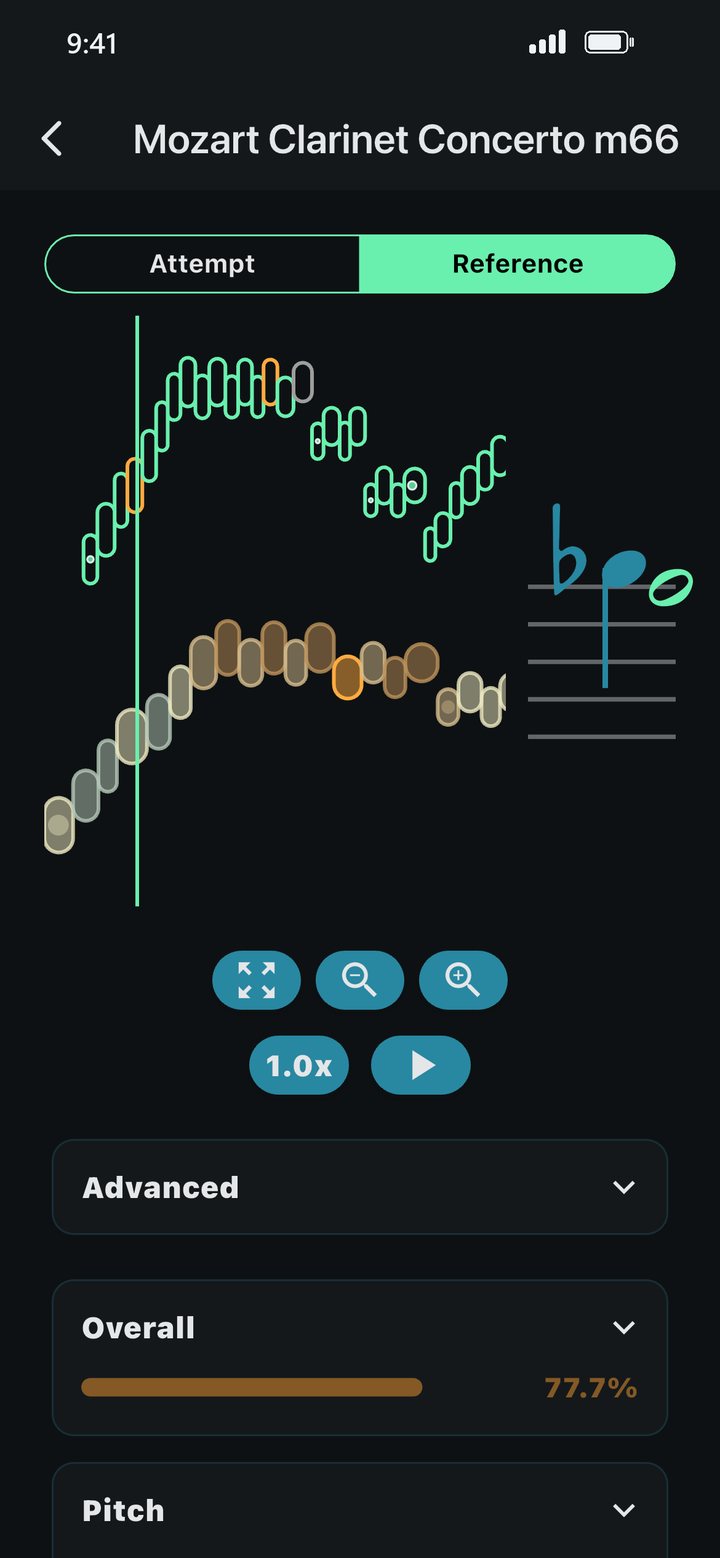
Each attempt against the reference, note by note: which notes were wrong, early or late. And you can listen to both.
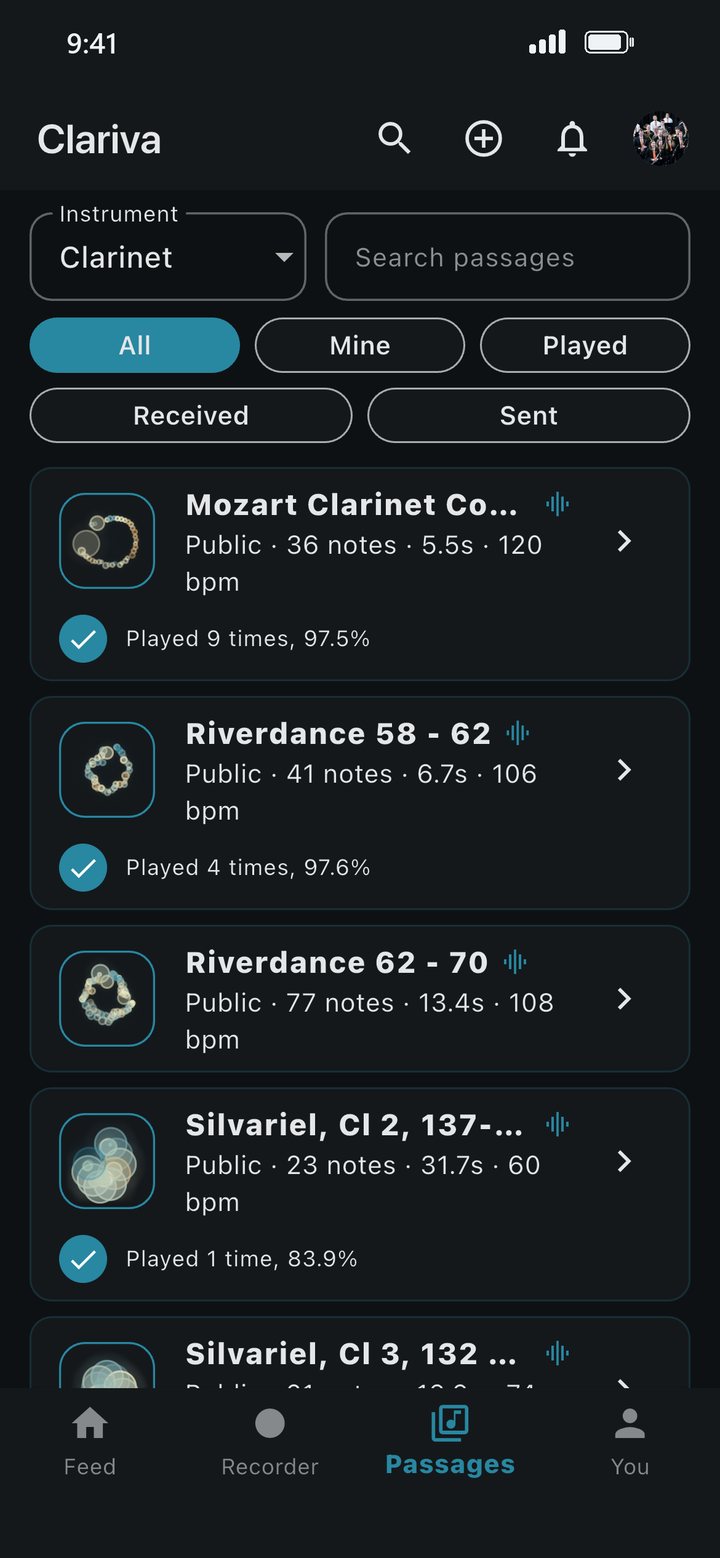
No library to buy: your pieces, your passages, and the ones others send you as challenges.
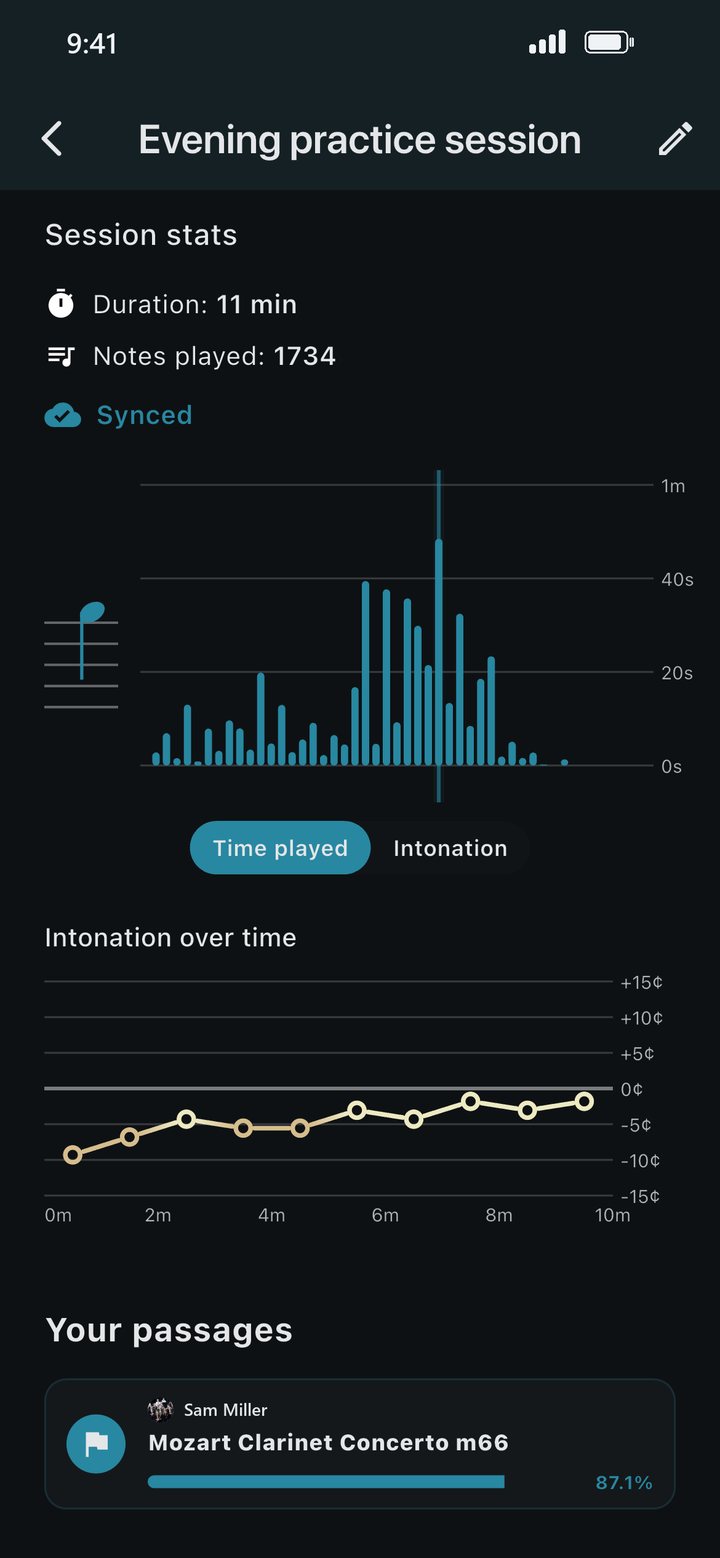
Intonation note by note, and over the course of your warm-up.
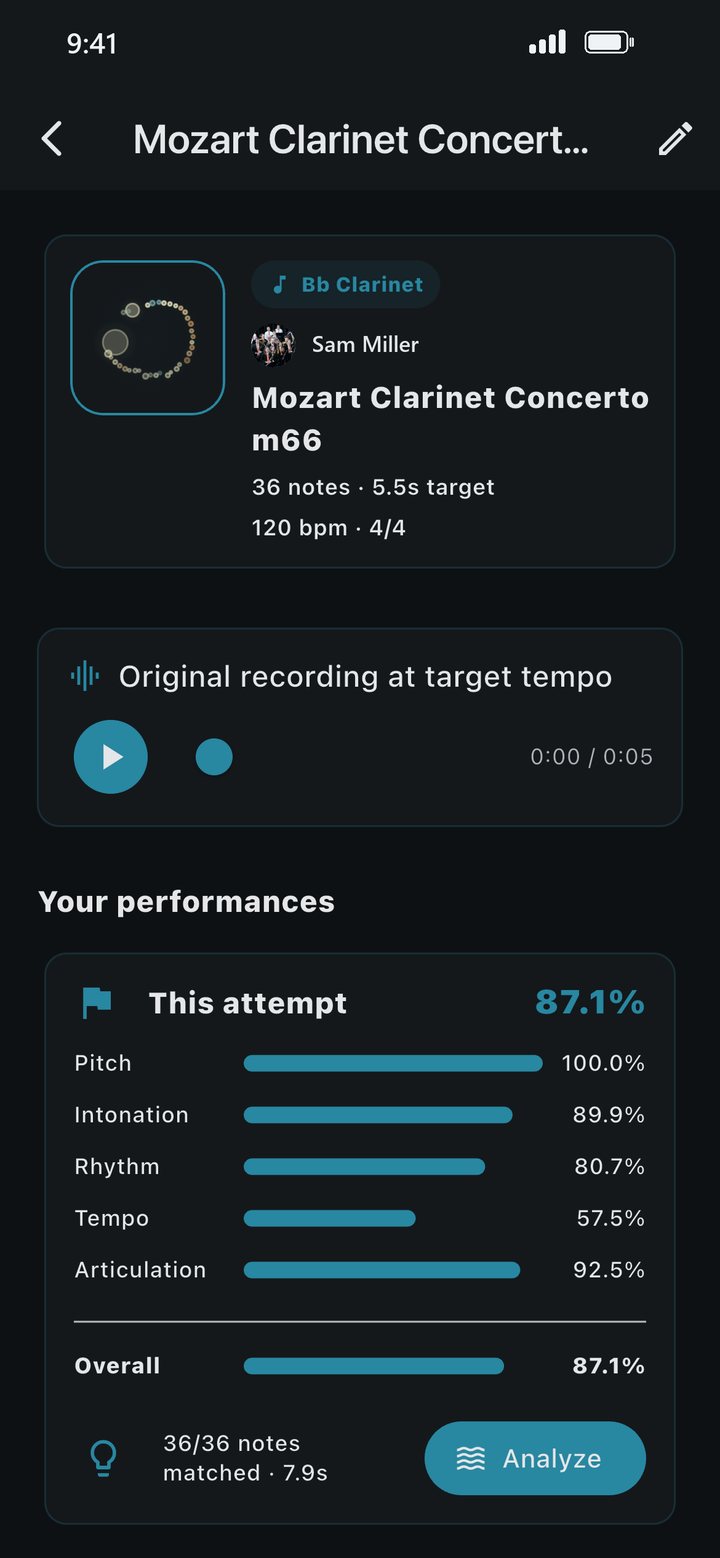
Scores for pitch, intonation, rhythm, tempo and articulation, for every attempt.
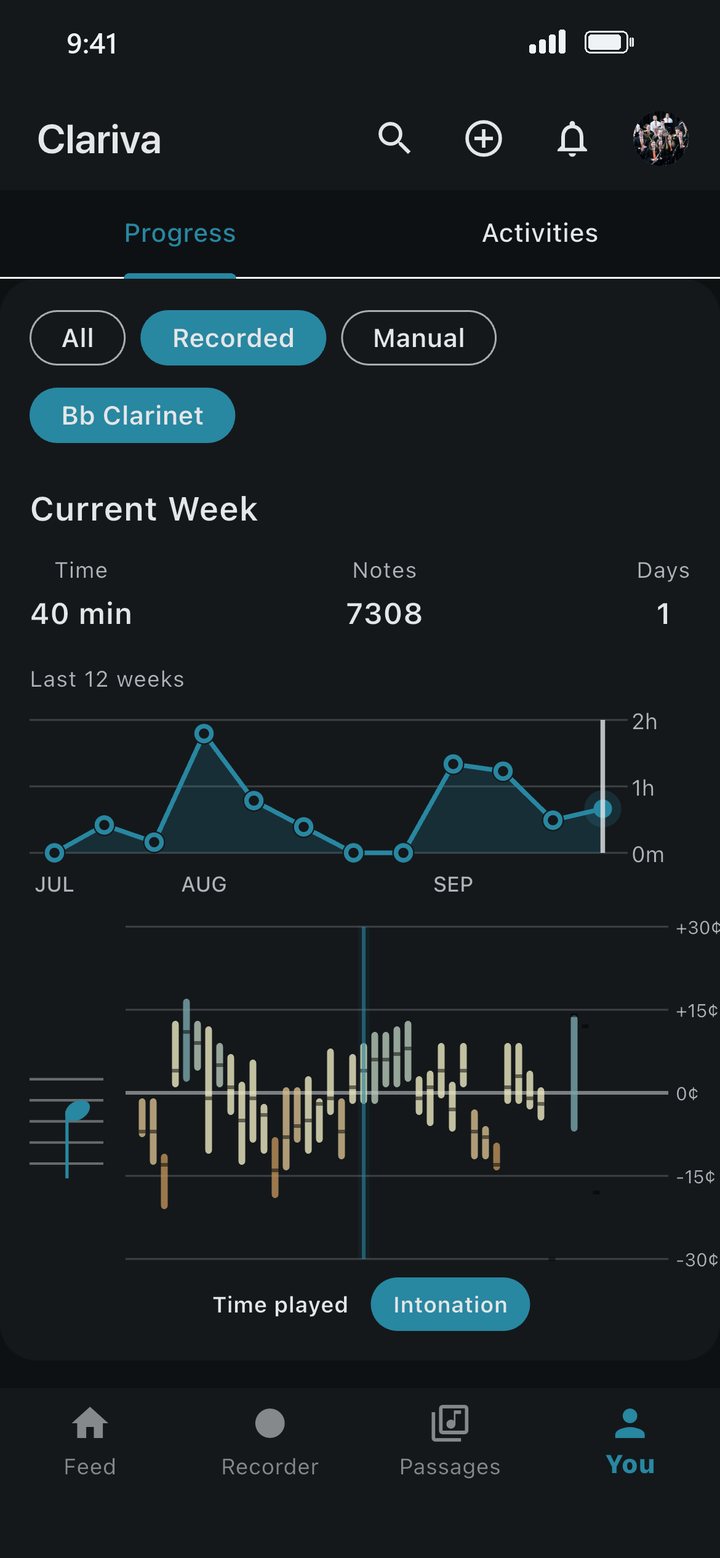
Time played, notes played, practice days and tuning tendencies.
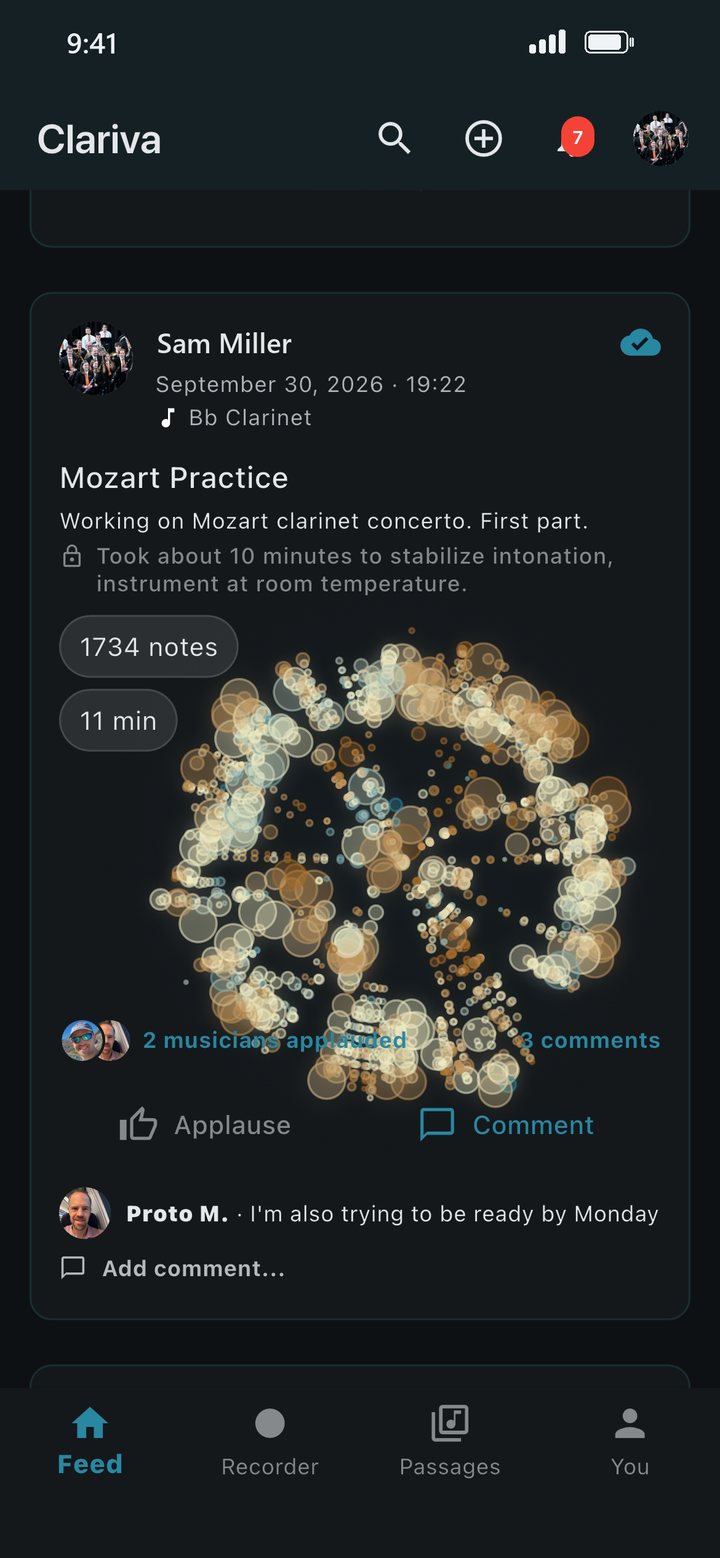
Share sessions, applaud, comment and send challenges. Every session has its own visibility.
Closed beta
Beta programme
Clariva is currently in closed testing. You do not need to be a professional musician — clear feedback from real practice is what helps most.
New features reach testers before everyone else. If you would like to try what is coming next and tell us what breaks, you are very welcome.
The Android beta runs through Google Play testing.
Use the same Google account for both steps. If Play says the app is not available, join the group first, then wait a few minutes and reopen the testing link.
The iOS beta runs through Apple TestFlight.
The TestFlight link is limited to 100 testers.
Read
Which notes the clarinet literature says are sharp or flat, why the physics makes the low twelfths wide, what Buffet Crampon changed on the new Festival, and my own Festival measured note by note.
FAQ
Clariva is in closed testing on both stores while the public release is prepared. You can join the beta above and use it today.
On Google Play and the App Store, free to download and use. Links are at the top of this page.
On Google Play, free to download and use; the link is at the top of this page. The iPhone and iPad version is in Apple's review; until it is out, you can use it through the TestFlight beta.
Clariva is built for the B♭ clarinet, and for now that is the only instrument it supports: its note detection is tuned for clarinet. Other instruments may follow later.
No. Clariva is most useful if you already practise on your own — students, adult amateurs and teachers all get something from it.
Yes, when you start a practice session. Clariva uses the recording to analyse and replay what you played. The musical analysis runs on your phone. Recordings also help train Clariva's own analysis models, so it gets better over time. See the privacy policy for details.
Yes. Clariva includes profiles, an activity feed, applause, comments, follows, notifications and privacy controls — and you can send a passage to another player as a challenge and compare how you each played it.
You can request deletion from inside the app under your profile, or from this website without installing anything — see deleting your Clariva account.
Use the feedback form in the app, or write to support@clariva.com. Screenshots always help.